SMART DOWNLOADS + AI DOCUMENT TOOLS
One workspace to download, convert, and ask from your files.
Save public content, convert documents to readable formats, and get accurate, citation-based answers from your own files.
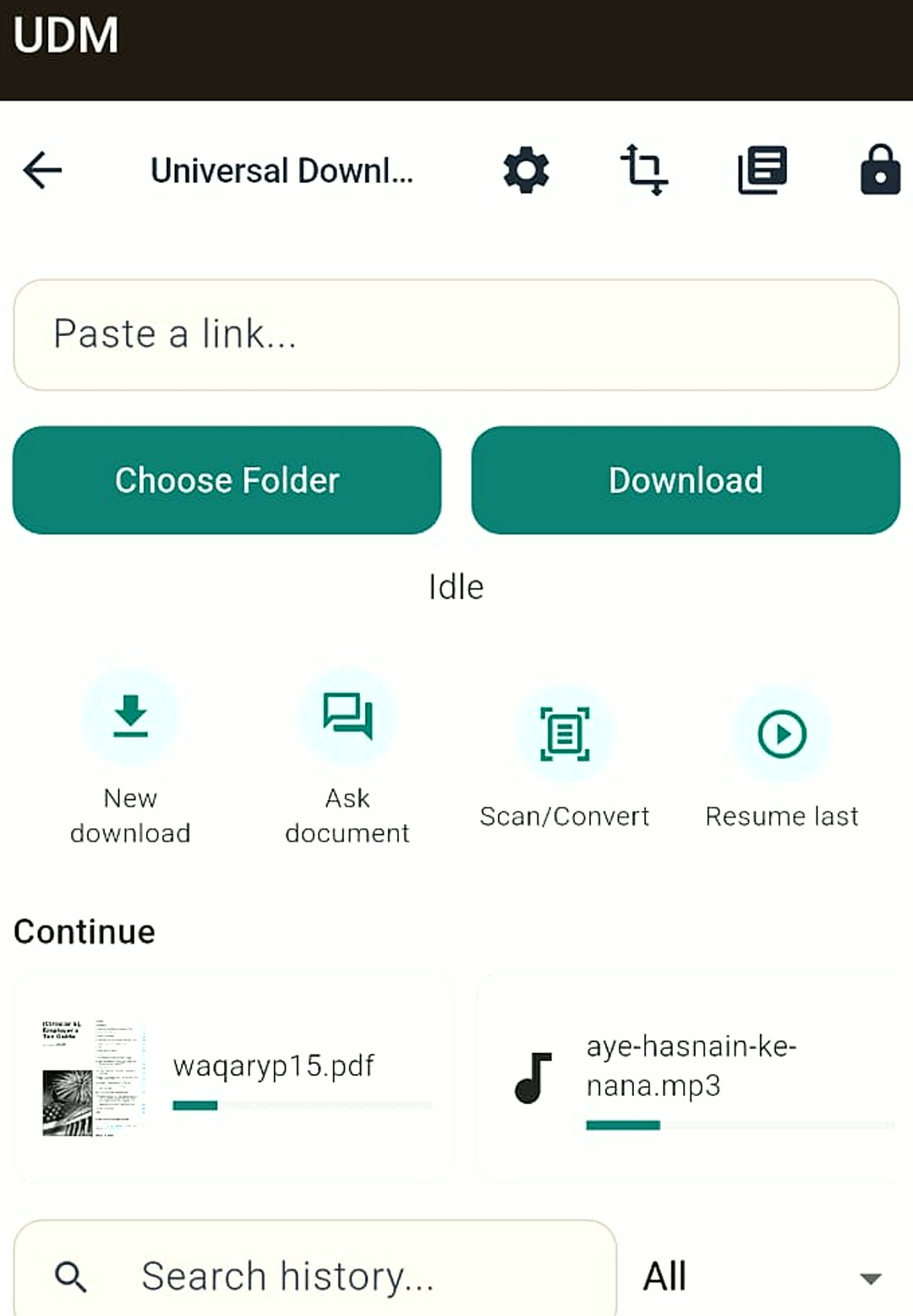
WHY USERS TRUST UDMGO
Built for fast downloads, smarter documents, and reliable everyday use
Your files stay in your control
Downloads stay on your device by default, giving you a cleaner, more private workflow for study, work, and everyday use.
Useful even without internet
Your library, playback, and local conversion tools keep working offline, so your essentials are available when you need them.
Smarter AI with your account
Sign in to unlock Pro and Ask Document for OCR, readable text extraction, and fast cited answers from the files that matter most.
HOW IT WORKS
From document to answer in 3 simple steps
UDMGO combines downloads, local tools, and account-based AI features so users can move from file to cited answer fast.
Save, import, or sign in
Download public files, import local documents, and sign in to unlock Pro and Ask Document features.
Prepare the document
UDMGO extracts readable text, applies OCR where needed, and organizes content for faster search, summaries, and page-aware answers.
Ask and get cited answers
Ask by page, section, or full document and get clear answers with references, built for study, work, and everyday document tasks.
WHY PEOPLE INSTALL UDMGO
Download faster, read smarter, and get more from every file
UDMGO gives users one Android app for saving files, cleaning up documents, unlocking AI answers, and upgrading to a more useful everyday workflow.
Save files in seconds
Download public links with stable background handling, retry support, and a smoother experience for everyday use.
Turn messy files into readable text
Convert PDFs, scans, and documents into clean text that is easier to search, study, copy, and reuse.
Ask your documents anything
Use Ask Document to get quick, cited answers from a page, page range, or full file without digging manually.
Unlock Pro with your account
Sign in to access premium AI features, smarter document workflows, and a more powerful UDMGO experience.
Keep everything organized
Manage downloads, conversions, and saved files in one place with a library built for real daily use.
Built for work, study, and everyday productivity
From reading notes to searching long files and managing media, UDMGO helps users do more with less friction.
ASK DOCUMENT
Stop scrolling. Get the answer in seconds.
Upload your file, sign in, and unlock Ask Document to turn long PDFs and study material into cited answers, key notes, and instant understanding.
“Give me the 8 most important points from pages 5 to 8.”
Instant Answer
UDMGO pulls the most relevant parts of the document, summarizes them clearly, and returns page-linked answers so users can understand more in less time without digging through every page manually.
Upgrade reading into results
Turn dense files into answers, notes, and highlights that save time and reduce frustration.
Perfect for students and professionals
Review policies, reports, manuals, and class material faster with smarter document help inside one app.
Sign in to unlock Pro AI
Ask Document is available through account-based Pro access, giving users a stronger workflow and premium document tools.
WHO UDMGO IS FOR
Made for people who need answers fast and files under control
Whether you study, teach, create, or work with long documents every day, UDMGO helps you save time, reduce friction, and get more value from every file.
Study faster and remember more
Turn notes, slides, and PDFs into readable text, quick summaries, and exam-ready key points with Ask Document Pro tools.
Create lessons in less time
Pull the important parts from reference files, prepare teaching notes faster, and simplify dense material into usable answers.
Save content and find what matters
Download public assets, organize source material, and extract the exact ideas or citations you need without wasting time.
Work through documents at speed
Search reports, manuals, contracts, and business files faster, then get focused answers instead of reading everything line by line.
PRICING
Start free. Unlock Ask Document with Pro.
Ask Document is available with an account and active Pro subscription. Pro is currently $4.99/month.
Free
$0 /month
Great for downloads, file management, and everyday local tools.
- Download public files and manage them in one app
- Library, playback, and core local workflows
- Basic document conversion tools
- Ads enabled
- No Ask Document access
- No Pro AI features
Pro
$4.99 /month
For users who want faster answers, smarter documents, and the full UDMGO experience.
- Account-based access to Ask Document
- Server-side AI document reasoning
- Ask by page, range, or full file
- Cited answers, summaries, and study notes
- OCR-powered document understanding
- Priority access to premium AI workflows
- Ad-free experience
Access note: Ask Document requires sign-in and an active Pro subscription.
Processing note: Ask Document uses server-side processing to analyze documents and generate answers.
Usage note: Fair use limits may apply to keep the service reliable for all users.
FAQ
Questions users ask before upgrading
Do I need an account to use Ask Document?
Yes. Ask Document requires sign-in and an active Pro subscription. Free users can use core app features, but Ask Document is Pro only.
Does Ask Document work with scanned PDFs and images?
Yes. UDMGO uses OCR and server-side document processing to extract text and generate better answers from scans and image-based files.
Can I ask questions for specific pages or ranges?
Yes. Pro users can ask from a page, page range, or the full document to get more focused, cited answers.
Does UDMGO still work offline?
Yes. Core features like saved files, library access, playback, and many local tools work offline. Ask Document requires internet because it runs through server-side AI processing.
What do I get with UDMGO Pro?
Pro unlocks Ask Document, server-side AI reasoning, summaries, study notes, cited answers, premium document workflows, and an ad-free experience for $4.99/month.
Install now and unlock the smarter way to work with files
Start with UDMGO today, sign in, and upgrade to Pro when you want Ask Document, cited answers, and premium AI tools.